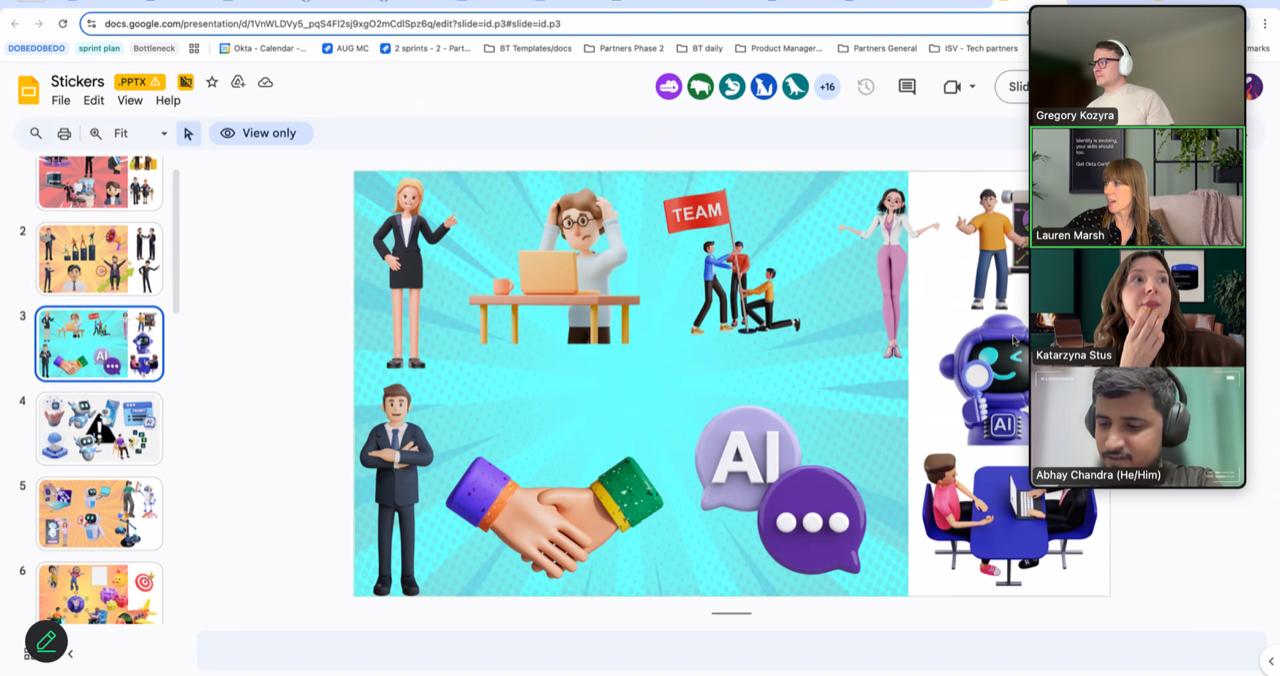
Fifty ready-to-run icebreakers for Zoom, Microsoft Teams and Google Meet, plus the planning tools that make them land. Filter by time, energy and group size, pick what you need and print it as facilitator cards.
By The Thought Bulb facilitation team · Updated 12 November 2026 · 5 tools · 11-min guide
50virtual icebreaker cards
6categories, from 2-minute openers to closers
5printable planning tools
Quick answer
What is a good icebreaker for a virtual meeting?
A good virtual icebreaker takes 2 to 10 minutes, needs no preparation from participants, gives everyone an easy way to contribute (chat, emoji, poll or one spoken line) and links to the meeting purpose. Emoji check-ins, One-Word Weather and Same and Different in breakout pairs work for most teams.
50 icebreakers for Zoom, Teams and Meet, sorted by category, time, group size and energy, each with a debrief question.
Filter by category or tick only the cards you want.
Print the selection (6 cards per A4) and keep them next to your screen.
Go first yourself, keep to time, and use the debrief question to link back to the meeting.
50 of 50 selected for print
01Quick check-ins
Emoji Check-In
2 minAny sizeVirtual
Everyone drops one emoji in the chat that shows how they are arriving today. The host reads out a few and invites two people to explain theirs in one line.
Debrief · What does the mix of emojis tell us about how we should run today’s meeting?
02Quick check-ins
One-Word Weather
3 min3–30Any
Ask each person to describe their week as a weather report in one word: sunny, foggy, stormy, clearing. Go round the gallery or use the chat for larger groups.
Debrief · Who needs a bit of support from the team this week?
03Quick check-ins
Where Are You Joining From?
3 minAny sizeVirtual
Open a word cloud or chat thread asking for city and one local thing you can see or hear right now. Great for teams spread across Indian cities or countries.
Debrief · Did anyone find a teammate closer than they thought?
04Quick check-ins
Rose, Thorn, Bud
6 min3–12Any
Each person shares a rose (something good), a thorn (a challenge) and a bud (something they are looking forward to). Keep each turn to about 45 seconds.
Debrief · Which thorn could this team help remove?
05Quick check-ins
Scale of 1 to 10
2 minAny sizeVirtual
Run a quick poll: “How full is your battery today, 1 to 10?” Share the results anonymously and adjust the pace of the meeting to the room.
Debrief · What would move your number up by one point today?
06Quick check-ins
Show Your Mug
3 min3–20Virtual
Everyone holds up whatever they are drinking. Two or three people tell the story of their mug or why it is always chai.
Debrief · What small rituals keep you going on busy days?
07Quick check-ins
Headline of the Week
5 min3–15Any
Each person writes a newspaper headline for their week so far, e.g. “Local Analyst Survives Five Back-to-Back Calls”. Paste in chat, read aloud a few.
Debrief · What headline do we want for this project by Friday?
08Quick check-ins
Colour Check
2 minAny sizeVirtual
Green, amber or red: how ready do you feel for today’s topic? People type a colour or hold up something that colour on camera.
Debrief · What do the ambers and reds need from this session?
09Get to know you
Two Truths and a Lie
8 min4–15Any
Each person shares two true facts and one believable lie. The group votes in chat or with a poll, then the speaker reveals the lie.
Debrief · Which truth surprised you most, and what did it tell you about that person?
10Get to know you
Same and Different
6 min6–60Virtual
In breakout pairs or trios, find three things you have in common and one thing that makes each of you different. Each room shares its most surprising common thread.
Debrief · What common ground did you not expect to find?
11Get to know you
The Name Story
10 min4–15Any
Share the story behind your name: who chose it, what it means, any nicknames. Works especially well for new or cross-cultural teams.
Debrief · How does knowing these stories change how you will address each other?
12Get to know you
Desk Tour in 30 Seconds
6 min4–15Virtual
Each person turns the camera (or describes) one object on their desk that says something about them. Thirty seconds each, strictly timed.
Debrief · What did you learn about how your colleagues like to work?
13Get to know you
Before I Was 18
7 min4–20Any
Share one thing you achieved, learnt or survived before you turned 18. School awards, first jobs and family responsibilities all count.
Debrief · Which early skill do you still use at work?
14Get to know you
Guess Who Said It
8 min6–30Virtual
Before the call, collect answers to a fun question (first job, favourite street food) through a form. Show answers one by one; the team guesses who wrote each.
Debrief · Which answer would you never have matched to that person?
15Get to know you
Superpower Swap
8 min4–20Any
Each person names their work superpower and one superpower they would love to borrow from someone else on the call.
Debrief · Who here could you pair with to swap skills this month?
16Get to know you
Hometown Food Map
8 min4–40Virtual
Share your hometown and one dish everyone must try there. Pin answers on a shared whiteboard map for distributed teams.
Debrief · Whose city is now on your travel or food list?
17Get to know you
Six-Word Memoir
6 minAny sizeAny
Ask everyone to describe their career, or this year, in exactly six words. Give a minute to think, then share in chat and read out favourites.
Debrief · Which six words best describe this team right now?
18Get to know you
Would You Rather (Work Edition)
5 minAny sizeVirtual
Run three quick polls, e.g. “Would you rather have no meetings on Mondays or no emails on Fridays?” Ask one person from each side to defend their vote.
Debrief · Did any result suggest a change worth trying?
19Energisers
Scavenger Sprint
6 min4–40Virtual
Call out an item (something blue, a book with a number in the title, the oldest thing in the room). First three people back on camera with it score a point.
Debrief · What did that burst of movement do to your energy?
20Energisers
Stand Up If…
4 minAny sizeAny
Read statements like “Stand up if you have worked from a café this month”. People stand (or raise a hand on camera). Quick, physical and inclusive.
Debrief · Anything surprising about who stood up?
21Energisers
Finish the Lyric
6 min4–30Virtual
Type the first line of a well-known song (Bollywood or global hits). First person to complete it correctly in chat scores. Keep songs office-appropriate.
Debrief · Which song took everyone back to the same memory?
22Energisers
Desk Stretch Follow-the-Leader
4 minAny sizeAny
One volunteer leads a 60-second stretch, then passes to the next person. Ideal halfway through a long call or training.
Debrief · How does your focus feel compared with five minutes ago?
23Energisers
Rapid Fire Trivia
7 min6–100Virtual
Five quick questions in a quiz tool or poll, mixing company facts and general knowledge. Show a leaderboard at the end.
Debrief · What company fact surprised you?
24Energisers
Count to Twenty
5 min5–15Virtual
The group counts aloud from 1 to 20, one person per number, with no order agreed. If two people speak at once, start again. Harder than it sounds.
Debrief · What helped us coordinate without a plan?
25Energisers
Gesture Relay
6 min5–15Virtual
One person makes a gesture and names the next person, who repeats it and adds their own. Keep going until someone breaks the chain.
Debrief · How did listening and watching change as the chain grew?
26Energisers
Fastest Finger Emoji Story
5 minAny sizeVirtual
Post three emojis. Everyone has 60 seconds to type a one-line story using all three. Vote for the best with reactions.
Debrief · How quickly did ideas build on each other?
27Creative
Virtual Background Postcard
5 minAny sizeVirtual
Everyone sets a background of a place they love or want to visit, then shares one sentence about it.
Debrief · What do our choices say about what energises us?
28Creative
Draw Your Week
8 min4–20Virtual
Give two minutes to draw your week on paper or a whiteboard tool, with no words allowed. Hold drawings up to the camera and let others guess the story.
Debrief · What did pictures show that words might have missed?
29Creative
Three-Word Story
6 min5–20Any
Build a story about the team’s next big win, three words per person, in a set order. The facilitator types it up live.
Debrief · Which part of our story would we like to come true?
30Creative
Product Pitch from Your Desk
10 min6–30Virtual
In breakouts, pick a random object from someone’s desk and pitch it as a revolutionary product in 60 seconds. Rooms present back.
Debrief · What made the best pitch persuasive?
31Creative
Caption This
5 minAny sizeVirtual
Share a funny, neutral image and ask for captions in the chat. React to vote for the winner.
Debrief · How did humour change the mood of the room?
32Creative
Team Playlist
6 minAny sizeVirtual
Each person adds one song that gets them through a deadline to a shared playlist and says why in one line. Play a short clip of the winner.
Debrief · What does our playlist say about this team?
33Creative
Build It in Five
8 min4–20Virtual
Everyone has five minutes to build the team logo, a bridge or a mascot from items within reach. Show and tell at the end.
Debrief · What constraints made the builds more creative?
34Creative
Escape the Meeting Riddle
6 minAny sizeVirtual
Post a lateral-thinking riddle as people join. Late arrivals catch up quickly; reveal the answer once everyone is in.
Debrief · How did different people approach the same problem?
35Large groups
Word Cloud Pulse
3 min30–1000Virtual
Ask one question (“One word for this quarter?”) in a word cloud tool. Read the biggest words aloud and connect them to the agenda.
Debrief · What is the biggest word telling leadership?
36Large groups
Chat Waterfall
3 min20–500Virtual
Ask a question, tell everyone to type their answer but not press Enter until you count down. Then all answers land at once.
Debrief · Which answers repeated most often?
37Large groups
Live Poll Showdown
5 min30–1000Virtual
Run three light polls (chai vs coffee, mountains vs beaches, early bird vs night owl). Show results live and invite a couple of voices from each side.
Debrief · What does this crowd have in common?
38Large groups
Breakout Speed Networking
15 min20–200Virtual
Auto-assign breakout pairs for three rounds of four minutes, each with a new prompt card shown on screen.
Debrief · Who will you follow up with after today?
39Large groups
Reaction Roll Call
3 min30–1000Virtual
Read quick statements (“I joined in the last six months”, “I lead a team”). People respond with a set reaction emoji so the host can see the room.
Debrief · How does the make-up of today’s audience change what we focus on?
40Large groups
Map the Room
5 min20–300Virtual
Share a whiteboard with a world or India map. Everyone drops a sticky dot where they are joining from.
Debrief · Where are our clusters, and who is joining from far away?
41Large groups
Quiz Kick-off
8 min30–500Virtual
Five-question quiz on a live quiz tool with a leaderboard, mixing event theme and fun facts. Announce the top three at the start of the next session.
Debrief · Which question drew the most debate?
42Large groups
Shout-Out Storm
4 min20–500Virtual
Give 90 seconds for everyone to type a thank-you to a colleague in chat, tagging names. Read a few aloud.
Debrief · How did it feel to read that wall of thanks?
43Closers & reflection
One-Word Close
2 minAny sizeAny
Everyone types or says one word that sums up how they are leaving the meeting.
Debrief · Do the words match what we set out to achieve?
44Closers & reflection
Commit and Share
4 min4–30Any
Each person names one action they will take in the next 48 hours because of this meeting. The host captures them in chat or notes.
Debrief · Who will check in on these commitments, and when?
45Closers & reflection
Appreciation Round
5 min4–15Any
Each person thanks someone on the call for something specific they did recently.
Debrief · What behaviours do we want to see more of?
46Closers & reflection
Keep, Stop, Start
6 min4–30Virtual
On a shared board, add one sticky each for what the meeting should keep, stop and start doing.
Debrief · Which one change shall we try next time?
47Closers & reflection
Fist to Five
2 min4–40Virtual
People hold up 0 to 5 fingers on camera to show how clear they are on next steps. Anyone below three explains what is missing.
Debrief · What do we need to clarify before we leave?
48Closers & reflection
Lightbulb Moment
4 minAny sizeVirtual
Ask for one idea, insight or “aha” from the session in chat. Save the thread and share it in the follow-up email.
Debrief · Which insight should we act on first?
49Closers & reflection
Pass the Mic Thank-You
5 min4–12Virtual
The host thanks one person and passes the mic to them; they thank someone else and pass on, until everyone has spoken.
Debrief · Who gets less credit than they deserve on this team?
50Closers & reflection
Postcard to Future Us
6 min4–30Any
Everyone writes a two-line note to the team, to be read at the next quarterly review. Collect them in a form.
Debrief · What do we hope to say about this period when we look back?
Tool 02
Virtual Meeting Engagement Health Check
Ten statements to rate how engaging your recurring virtual meetings really are, with a score and suggested next step.
Rate each statement 1 to 5 for one recurring meeting.
Ask two or three participants to rate it too and compare.
Use your band to choose icebreakers and planner changes.
Most people speak or contribute in the first five minutes.Opening
The meeting starts on time, even if a few people are late.Structure
People keep cameras on by choice, not because they are told to.Presence
Quieter team members contribute without being put on the spot.Inclusion
We use chat, polls or reactions, not only voice.Inclusion
The agenda is shared before the call and followed during it.Structure
Energy stays steady; nobody is obviously multitasking.Presence
Remote and in-office people get an equal say in hybrid calls.Inclusion
We end with clear owners and next steps.Closing
People leave feeling the meeting was worth their time.Closing
Tool 03
Meeting Opener Planner
Plan the first 10–15 minutes of any virtual meeting, training or town hall, minute by minute.
Fill in the meeting details and group size.
Pick icebreakers from the deck that suit the energy you need.
Share the plan with your co-host so tech and timing are covered.
Time
Segment
Icebreaker / activity
Owner
Tool 04
Virtual Facilitator Set-up Checklist
Everything to check before, during and after a virtual session so your icebreakers run smoothly.
0 / 19 done
The day before
10 minutes before
During the session
After the session
Tool 05
Phrases for Quiet Rooms and Flat Moments
Facilitator lines that draw out quiet people, handle cameras-off and rescue a flat moment without embarrassing anyone.
12 of 12 selected for print
When
Nobody answers your opening question
SayLet me go first so you can steal my answer… Now, drop yours in the chat, one word is enough.
Avoid“Come on, someone must have an answer.”
When
One quiet person has not spoken
SayPriya, I would love your view on this, or feel free to add it in the chat if that is easier.
AvoidCold-calling with no option to pass.
When
Most cameras are off
SayCameras are optional. If you can, switch on for the next five minutes while we do this together.
AvoidAsking individuals publicly to turn cameras on.
When
Energy drops mid-session
SayQuick reset: everyone stand up, stretch for thirty seconds, and tell me in chat one thing you can see from your window.
AvoidPushing on with the agenda while people drift.
When
Chat is busy but nobody unmutes
SayGreat points in the chat. Arjun, would you expand on yours for thirty seconds?
AvoidIgnoring the chat because it is not voice.
When
One person dominates
SayThank you, that is really useful. Let us hear two voices we have not heard yet.
AvoidLetting the same person answer every question.
When
An icebreaker falls flat
SayThat one did not land, which is fine! Let us try something quicker.
AvoidOver-explaining or forcing it to continue.
When
Someone shares something personal
SayThank you for sharing that, it helps us understand each other better.
AvoidMoving on without acknowledgement, or probing further.
When
Hybrid room is talking over remote people
SayLet us go to the people on screen first for this one.
AvoidLetting in-room conversation run while remote people wait.
When
Breakout rooms come back silent
SayEach room, type your best idea in chat in one line, then I will ask one person to add colour.
Avoid“So, who wants to share?” to a silent gallery.
When
People join late and look lost
SayWelcome! We are doing a quick check-in; drop one emoji in chat for how your day is going.
AvoidRestarting the whole activity for latecomers.
When
Closing with low energy
SayBefore we go, one word for how you are leaving today. I will start: “clear”.
AvoidEnding abruptly with “Okay, thanks, bye.”
Key takeaways
The best virtual icebreakers take 2–10 minutes, need no preparation and let people contribute through chat, polls or reactions as well as voice.
Match the icebreaker to the meeting: quick check-ins for weekly calls, get-to-know-you activities for new teams, energisers for long trainings.
Always go first as facilitator, keep to the time box and connect the icebreaker to the meeting purpose.
For large or hybrid groups, use word clouds, polls and breakout pairs instead of going round the room.
Measure engagement with a short health check every quarter, and bring in a facilitated virtual activity when connection needs a bigger reset.
A virtual icebreaker works when it is short, safe, easy to join and connected to the meeting’s purpose. On a screen, people cannot read the room the way they do in person, so the first few minutes decide whether they lean in or quietly open their inbox.
Good virtual icebreakers share four traits:
Low barrier to entry. Anyone can answer in a few seconds without preparation, special tools or personal risk.
Multiple ways to contribute. Chat, emoji, polls and reactions give quieter people and those with weak connections a way in.
A clear time box. Two to ten minutes for most meetings. Longer activities belong in a dedicated team session.
A bridge to the agenda. The debrief question links the activity to the work, so it never feels like a waste of time.
How to choose the right icebreaker for your meeting
Choose by three factors: meeting type, group size and the energy you need. A Monday stand-up needs a two-minute check-in; a new project kick-off can afford ten minutes of getting to know each other.
Virtual icebreakers by meeting type
Meeting type
Goal
Time
Try these cards
Daily or weekly team call
Quick connection, gauge mood
2–5 min
Emoji Check-In, One-Word Weather, Colour Check
New team or project kick-off
Build familiarity and trust
8–15 min
Name Story, Same and Different, Superpower Swap
Training or workshop
Warm up thinking, keep energy up
5–10 min, repeat after breaks
Rapid Fire Trivia, Desk Stretch, Draw Your Week
Town hall or large all-hands
Make a big audience feel seen
3–5 min
Word Cloud Pulse, Chat Waterfall, Map the Room
Cross-country or client meeting
Respectful, low-risk warm-up
3–5 min
Where Are You Joining From?, Show Your Mug
Retrospective or review
Reflection and honesty
5–8 min
Rose, Thorn, Bud, Headline of the Week
Virtual icebreakers by group size
Group size
What works
What to avoid
3–8 people
Round-robin sharing, personal stories, gesture games
Long polls, heavy tech set-up
9–30 people
Breakout pairs and trios, chat-based answers, quick quizzes
Everyone speaking one by one (it takes too long)
30–200 people
Polls, word clouds, chat waterfalls, structured breakouts
Open questions to the whole group
200+ people
Live polls and quizzes with leaderboards, reaction roll calls
Anything that needs individual voice turns
Energy matters too. Use low-energy cards early in the day, after difficult news or with senior audiences; save high-energy energisers for long trainings, post-lunch slots and celebrations.
Running icebreakers on Zoom, Microsoft Teams and Google Meet
All three major platforms support the features most icebreakers need. Set them up before the call so you are not fumbling with menus in front of the group.
Same and Different, speed networking, pitches; pre-assign rooms where possible
Reactions
Reaction roll calls, quick voting, appreciation
Whiteboard / shared board
Maps, Keep-Stop-Start, Draw Your Week
Spotlight / pin
Keep the speaker visible in large meetings
Pre-build
Create polls, breakout assignments and whiteboards the day before and test them with a colleague.
Assign a co-host
One person facilitates, the other manages chat, breakouts, late joiners and tech issues.
Give clear instructions
Show the instruction on a slide and say it aloud. Tell people how long they have and how to respond.
Signal transitions
Use a timer or a short music cue so people know when an activity starts and ends.
Icebreakers for hybrid meetings
In hybrid meetings the biggest risk is that the people in the room have a conversation while remote colleagues watch. Design icebreakers that put everyone on the same channel.
Ask in-room participants to join the chat or poll on their laptops or phones, so every answer lands in the same place.
Call on remote participants first for spoken rounds.
Use a dedicated room camera and microphone so remote people can see and hear everyone, not just the presenter.
Pair one in-room person with one remote person in breakout activities.
Pick activities that do not rely on physical objects in the room.
Cultural sensitivity for Indian and global teams
An icebreaker that is fun for one team can feel intrusive for another. Indian teams are often multilingual, multi-generational and spread across very different cities, and global teams add time zones and cultural norms.
Keep personal questions optional. Family, religion, salary, relationships and health are off limits unless someone volunteers them.
Respect hierarchy without letting it silence people. Use chat and anonymous polls so junior staff can speak freely in front of senior leaders.
Watch language. Use simple English, avoid idioms, and welcome answers in other languages where the group shares them.
Mind food and festivals. Questions about food or celebrations should allow for different diets, faiths and traditions.
Rotate time zones. For global calls, do not always schedule icebreakers at the end of someone’s working day.
If you would not ask the question in a client meeting, do not use it as an icebreaker with a new team.
The Thought Bulb facilitation team
Icebreakers vs energisers vs team building: what is the difference?
These three terms are often used interchangeably, but they solve different problems. Knowing the difference helps you set the right expectations with managers and leaders.
Format
Purpose
Typical length
When to use
Icebreaker
Help people arrive, connect and speak early
2–15 minutes
Start of meetings, trainings and kick-offs
Energiser
Lift energy and focus during a session
2–7 minutes
After breaks, post-lunch, mid-way through long calls
Closer
Capture learning, commitments and appreciation
2–6 minutes
End of meetings and workshops
Team building activity
Build trust, collaboration and shared experience
45 minutes to a full day
Team days, offsites, celebrations, change programmes
A healthy meeting rhythm uses all three small formats: an icebreaker to open, an energiser if the session runs past an hour, and a closer to lock in actions. Larger team building sessions then reinforce the relationships these small rituals start.
Using icebreakers in virtual training and onboarding
In virtual training, icebreakers do more than warm people up. They show participants that the session is interactive, help the trainer read the room, and create the psychological safety people need to ask questions.
Open with relevance
Pick an icebreaker that touches the topic. For a communication workshop, try Three-Word Story; for a change programme, try Headline of the Week.
Reset after every break
Run a two-minute energiser such as Stand Up If or Desk Stretch Follow-the-Leader to bring attention back after a pause.
Use breakouts to build cohorts
Keep the same breakout pairs for the first day so new joiners or trainees form at least one strong connection.
Close with commitment
End each module with Commit and Share so learning turns into action.
For new joiners, combine these with the printable tools in our Employee Induction Toolkit, including networking bingo and a Day 1 run-sheet.
A simple progression for new and experienced facilitators
You do not need to be a professional trainer to run a good icebreaker. Build your confidence in stages.
Level
Start with
Skill to practise
Next step
First-time facilitator
Emoji Check-In, One-Word Close
Going first and keeping to time
Add a poll-based activity
Regular team host
Same and Different, Rose, Thorn, Bud
Running breakouts and debriefing
Let team members host in rotation
Trainer or HR business partner
Draw Your Week, Product Pitch, Quiz Kick-off
Linking activities to learning outcomes
Design openers for whole programmes
L&D head or culture lead
Large-group formats and hybrid designs
Standardising and measuring engagement
Blend with facilitated team experiences
Common mistakes (and how to fix them)
Mistake
Why it hurts
Fix
Going round every person in a big group
Takes too long, people disengage
Use chat, polls or breakouts for groups above eight
Forcing cameras on
Creates resentment and exposes home situations
Make cameras optional and design for both
Too personal, too soon
People feel unsafe and withdraw
Start with light, work-adjacent questions
No link to the meeting
Feels like wasted time
Use the debrief question as a bridge
Same icebreaker every week
Becomes a ritual nobody enjoys
Rotate categories and let team members host
Running long
Eats into the agenda and irritates leaders
Use a visible timer and stop on time
How to measure engagement in virtual meetings
You do not need complex analytics. Track a few simple signals over a month and you will see whether your openers are working.
Participation in the first five minutes: how many people used chat, reactions or voice.
Spread of voices: whether contributions came from many people or the same two.
Camera and attention signals: used only as a trend, never to judge individuals.
Follow-through: whether actions agreed in the meeting actually happen.
A quick pulse: run the health check above every quarter and compare scores.
Best icebreakers by meeting type
The fastest way to choose is to match the icebreaker to the job the meeting has to do. A stand-up needs a temperature check, a kick-off needs familiarity, a retrospective needs safety. Use this table as a starting point, then pull the matching card from the icebreaker deck above.
Virtual icebreakers matched to meeting type
Meeting type
What the opener must do
Cards to try
Time
Daily stand-up
Take the team’s temperature quickly
Emoji Check-In, One-Word Weather, Fist to Five
1–2 min
Weekly team meeting
Reconnect and surface small wins
Rose, Thorn, Bud; Headline of the Week; Shout-Out Storm
5 min
Project kick-off
Build familiarity before roles are set
Same and Different, Superpower Swap, Two Truths and a Lie
8–10 min
Brainstorm or design workshop
Switch on creative, playful thinking
Three-Word Story, Build It in Five, Caption This
5–8 min
Virtual training session
Activate what people already know
Quiz Kick-off, Live Poll Showdown, Scale of 1 to 10
5 min
Client or cross-company call
Stay warm, professional and low risk
Where Are You Joining From?, Map the Room
2–3 min
Town hall or all-hands
Make a large audience feel seen
Word Cloud Pulse, Chat Waterfall, Reaction Roll Call
3–5 min
Retrospective
Create enough safety to speak honestly
Colour Check; Keep, Stop, Start
5 min
Farewell or celebration
Show appreciation and close a chapter
Appreciation Round, Pass the Mic Thank-You
10 min
Two rules of thumb sit on top of the table. First, skip personal get-to-know-you prompts on senior client calls; a location or work-related opener is safer. Second, never run a high-energy game before difficult news. If the meeting is about restructuring or missed targets, use a calm check-in such as Scale of 1 to 10 and acknowledge the mood honestly.
Icebreakers that work for introverts and quieter team members
The best icebreakers for introverts let people think before they speak, contribute in writing first, and choose how much to share. Quiet does not mean disengaged; many thoughtful contributors simply dislike being put on the spot in front of a grid of faces.
Share the question in advance. Put the icebreaker prompt in the calendar invite or team chat so people arrive with an answer ready.
Start in the chat, then invite voices. Ask everyone to type first, then call on two or three people to expand on what they wrote.
Pair before plenary. A two-person breakout for three minutes feels far safer than speaking to thirty people.
Prefer object and opinion prompts. “Show something on your desk” is easier than “Tell us a secret about yourself”.
Always offer a pass. Say it out loud at the start; it paradoxically makes people more willing to join in.
Swaps that make icebreakers introvert-friendly
Instead of
Try
Why it works
“Tell us something nobody knows about you”
Desk Tour in 30 Seconds
The object carries the story, so the person does not have to
Going round the room one by one
Chat Waterfall
Everyone answers at once; nobody waits nervously for their turn
Unmuting to share feelings
Emoji Check-In
A single emoji is quick, private and still informative
Improvised role-play
Six-Word Memoir
Thinking time is built in and the format is short
How to run an icebreaker for 100+ people in a virtual town hall
With a large audience everyone cannot speak, so design for simultaneous participation: polls, word clouds, chat and reactions that let hundreds of people respond in the same thirty seconds. The goal is not conversation; it is making each person feel counted.
Pick a one-click mechanic
A poll, an emoji reaction or a one-word chat answer. Anything that needs explanation will lose half the room.
Prepare the tech in advance
Create polls before the session, test the word-cloud link and keep a backup question in case a tool fails.
Assign a co-host to the chat
One person reads answers and passes the best three or four to the host to read aloud by name.
Read back, by name
Hearing “Priya in Pune says…” is what turns a mass poll into a moment of recognition.
Close the loop
Share the poll results or word cloud in the follow-up email so the contribution feels like it mattered.
For an annual town hall, festival celebration or company milestone, a hosted experience such as a virtual quiz or the Incredible India Treasure Hunt keeps large remote audiences involved for longer than a five-minute opener can. See all formats on our virtual team building page.
A ready-to-use 10-minute opener for any virtual meeting
If you only need one routine, use this. It works for teams of 5 to 40 and needs nothing beyond chat and breakout rooms. Copy it into the meeting opener planner and adjust the timings.
Minute
What happens
Card from the deck
0–1
Welcome people by name as they join; share the purpose of the meeting in one sentence
Where Are You Joining From?
1–3
Everyone answers in chat at the same time; host reads three answers aloud
Emoji Check-In
3–8
Pairs or trios in breakout rooms share answers to one get-to-know-you prompt
Same and Different
8–9
Back in the main room, two volunteers share something that surprised them
—
9–10
Host links the theme to the first agenda item and moves on
—
Repeat the structure, change the cards. Predictable rhythm with fresh content is what makes openers feel effortless for both the facilitator and the team.
When to bring in a facilitated virtual team activity
Icebreakers warm up a meeting; they do not rebuild a disconnected team. Consider a facilitated session when you see signs like these:
A newly merged or fully remote team that has never met properly.
Low scores on the health check for two quarters in a row.
A large town hall, festival celebration or annual day that needs real energy.
What are some quick icebreakers for virtual meetings?
Emoji Check-In, One-Word Weather, Colour Check and Scale of 1 to 10 all take two or three minutes, need no preparation and work in Zoom, Teams or Google Meet chat. They suit daily stand-ups and weekly team calls.
How long should a virtual icebreaker be?
Most virtual icebreakers should take 2 to 10 minutes. Use 2–5 minutes for routine meetings, 8–15 minutes for kick-offs with new teams, and short repeated energisers after breaks in longer trainings.
What are good icebreakers for large virtual groups?
For 30 or more people, avoid going round the room. Use word clouds, live polls, chat waterfalls, reaction roll calls, shared maps and structured breakout pairs, which let everyone contribute at once.
How do I get people to participate when cameras are off?
Design for chat, polls and reactions so cameras are not required. Go first yourself, invite chat answers, and acknowledge contributions by name. Make cameras optional rather than mandatory.
What icebreakers work for hybrid meetings?
Choose activities that put everyone on the same channel, such as chat-based questions and live polls answered on each person’s device. Call on remote participants first and pair in-room and remote people in breakouts.
What are some fun icebreaker questions for team meetings?
Try “Describe your week as a weather report”, “What is the most interesting object on your desk?”, “What did you achieve before you were 18?” or “Which superpower would you borrow from a colleague?”. Keep personal questions optional.
Are virtual icebreakers suitable for senior leadership meetings?
Yes, if they are short and purposeful. Use reflective formats such as Headline of the Week, One-Word Close or Commit and Share, and connect the answers directly to the decisions on the agenda.
How often should we use icebreakers in recurring meetings?
A short check-in works well in every recurring meeting. Rotate categories and facilitators so it stays fresh, and use longer get-to-know-you activities when new people join or once a month.
Can The Thought Bulb host a virtual team building session for us?
Yes. The Thought Bulb runs hosted virtual team building sessions, from quick icebreaker formats to gamified treasure hunts and quizzes, for teams across India and abroad. Use the Get a Quote page to share your group size and date.
Want a virtual session your team will actually remember?
The Thought Bulb hosts virtual and hybrid team building for groups of every size, from 30-minute icebreaker sessions to full gamified experiences with a live host.